
Workflow Actions
Put message controls beside the job, invoice, update, authorization, review request, or reply thread that needs them.
Software
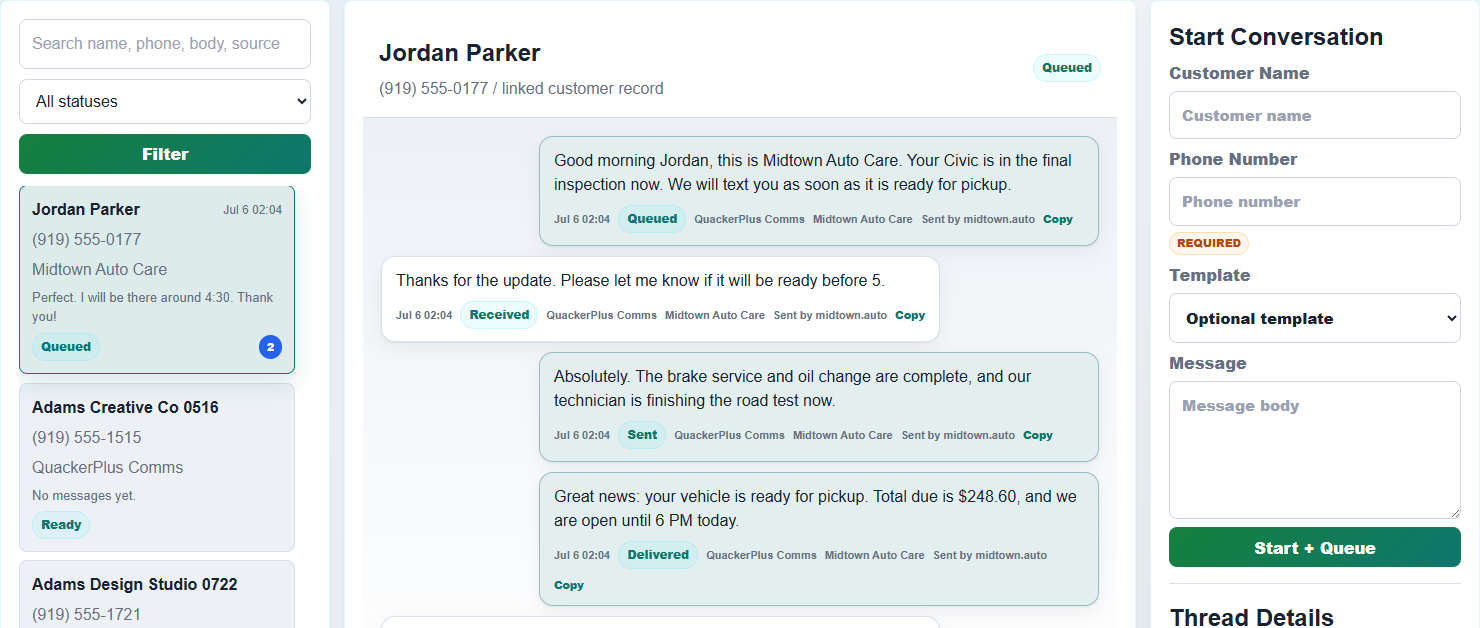
aiQuacker gives operators a website workflow surface for sending client messages, tracking replies, and keeping each conversation attached to the work.
Use message rules, reply threads, logging, and API-ready hooks from the places where the work already happens: jobs, invoices, updates, authorizations, reviews, and replies.
Software surfaces
aiQuacker is not another disconnected inbox. It is the messaging surface inside the website workflow.
Put message controls beside the job, invoice, update, authorization, review request, or reply thread that needs them.
Match the workflow moment to the right customer message so the operator does not have to rebuild the context.
Bring customer replies back to the same workflow surface so the conversation stays readable and useful.
Keep the sent message, reply, and workflow result connected for follow-up, reporting, and review.
Operator workflow
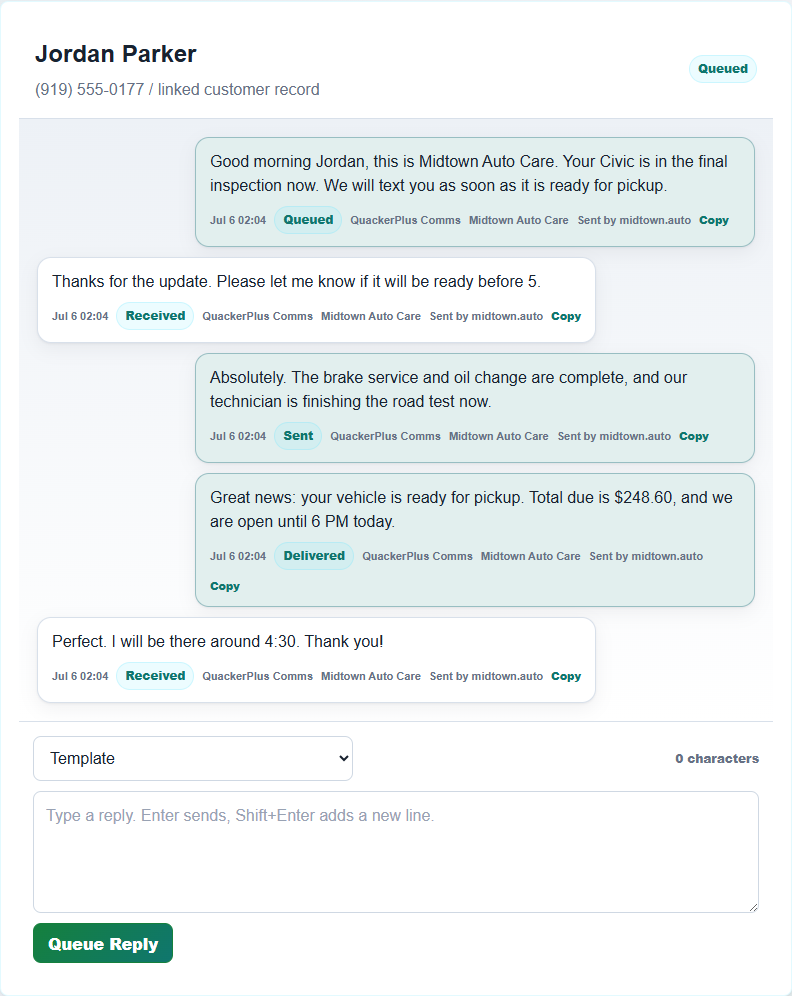
The software is designed around the everyday moments where a customer needs a useful message. The operator should not have to leave the work to find the conversation.
Send appointment, arrival, completion, and follow-up messages from the work record.
Send payment, receipt, and balance reminders while keeping the message attached to the invoice.
Notify the customer when a job, order, request, or service status changes.
Ask for approval, confirm the response, and keep the decision with the original request.
Send a clear request after the work is complete and keep the follow-up tied to the customer record.
Read and respond where the conversation belongs, without splitting the thread away from the workflow.
New software coming soon
Each tier keeps client communication attached to the work: create the customer, update the customer, invoice the customer, and keep the two-way conversation tied to the same workflow.
A Quacker integrated software suite for two-way client communication from customer creation, status updates, and invoicing through the subscriber's own business-controlled line.
QuackerLite integrated smart software for small businesses that need two-way client communication across created, updated, and invoiced work, powered by a provided shared QuackerLine or the user's own business-controlled line.
QuackerPlus-powered client portal and employee portal with two-way client communication through up to five user-owned business-controlled lines or a provided shared QuackerLine.
QuackerPro-powered client portal, employee portal, employee onboarding, jobsite tracking, employee tracking, and two-way client communication through up to ten user-owned business-controlled lines or a provided shared QuackerLine.
Built to connect
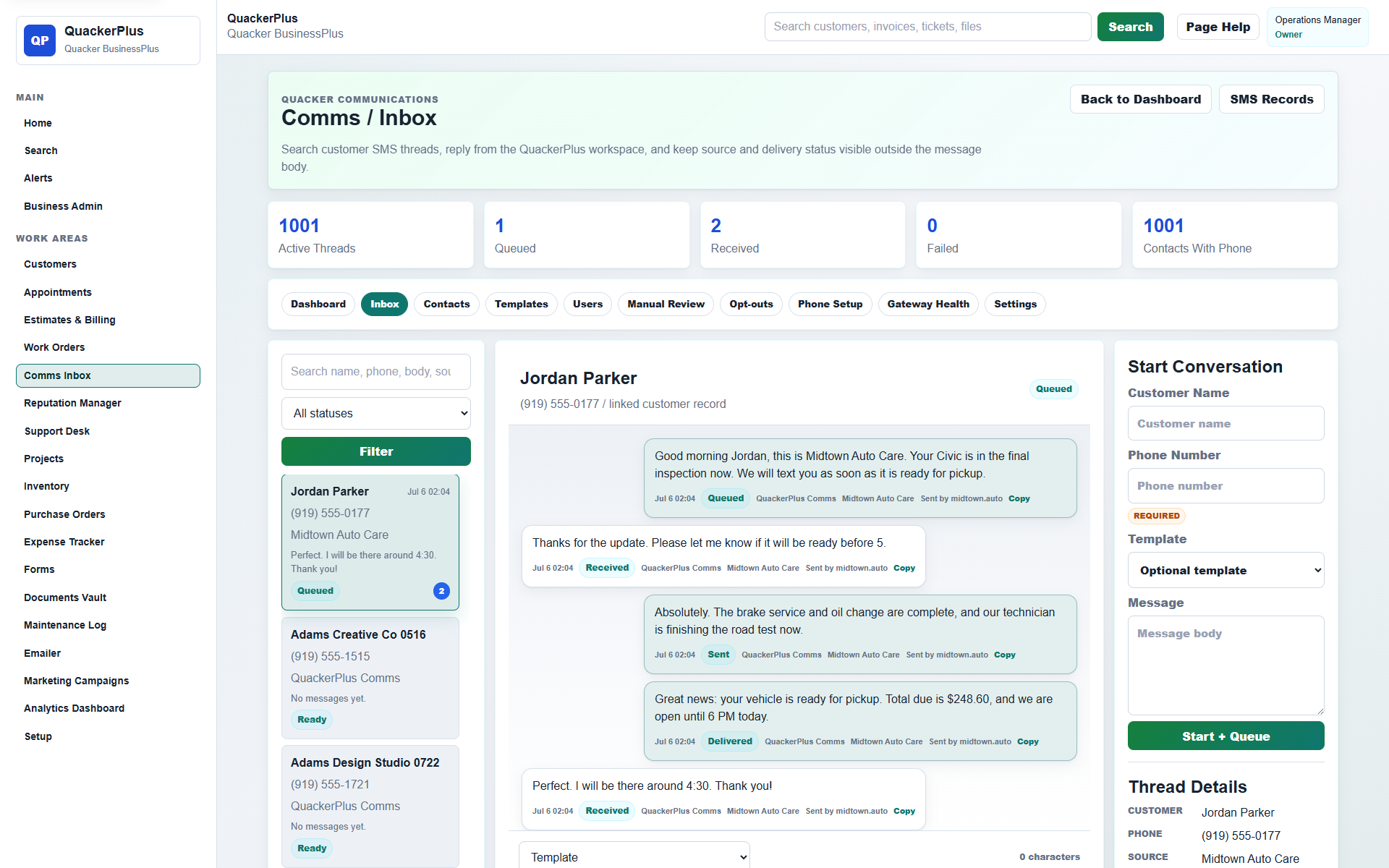
Connect website events to message actions while keeping the visible operator path simple.
Give staff a focused customer messaging surface inside the flow they already understand.
Start with Quacker or QuackerLite, then move toward Plus or Pro when more workflow control is needed.

Ready to put messaging inside the software flow?
Choose one job, invoice, update, authorization, review request, or reply thread and make it message-ready.